- What is Auto-Hunt/Potion?
Want to earn EXP, collect materials, and keep progressing your character while taking care of other things? Auto-Hunt allows your character to hunt automatically according to the settings you configure.
You can choose which monsters to attack, which skills to use, when to recover HP and SP, which items to collect, and when to return to town, among other options. This allows you to customize your character’s behavior according to your playstyle and goals.
Auto-Hunt is a great way to make the most of your playtime and keep your character progressing even when you are unable to play actively.
Alongside Auto-Hunt, there is also the Auto-Potion feature, which can be used separately when you want to hunt actively without worrying about using consumables. This feature cannot be used together with Auto-Hunt, as it is already built into it.
Important: Auto-Hunt is not available in certain maps and content. For example, it cannot be used during War of Emperium (WoE) or in certain specific maps.
- Where do I start?
The Auto-Hunt icon can be accessed directly from the game MENU.
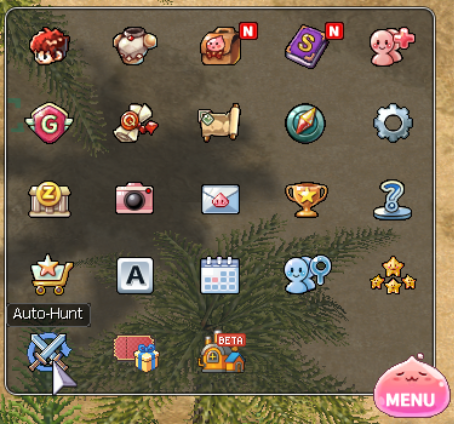
- How do I activate Auto-Hunt?
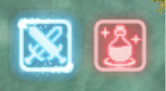
To activate Auto-Hunt, simply left-click once on the sword or potion icon.
The icon indicates the current status of the function (Blue: Activated / Red: Deactivated)
Was this article helpful?
That’s Great!
Thank you for your feedback
Sorry! We couldn't be helpful
Thank you for your feedback
Feedback sent
We appreciate your effort and will try to fix the article